Decision guide

Do You Need Automation, a CRM, or a Custom App?

A practical guide for deciding whether a small business needs simple automation, CRM cleanup, workflow cleanup, or a custom business app.

If work is stuck, the first answer is not automatically a CRM or a custom app. Start by naming one repeated bottleneck: a spreadsheet that gets cleaned by hand, a form that creates follow-up work, a dashboard nobody trusts, or a handoff that keeps getting missed. Then decide whether the fix is simple automation, CRM cleanup, or a custom workflow app.

Most projects start with one broken workflow, spreadsheet, form, or follow-up process.

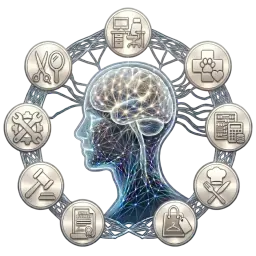
Workflow command center showing tasks, records, and automation routing

Practical recommendation

Start with the bottleneck before choosing the tool.

Start with the messy bottleneck

A spreadsheet, form, dashboard, inbox, reminder, or handoff may need cleanup before new software makes sense.

Buying software too early can spread the same messy workflow across another system.

The useful first step is one repeated bottleneck, not a full business rebuild.

Clean fields, owners, statuses, and review steps before asking automation or AI to help.

Use simple automation when rules are clear

The same reminder, email, report, file move, form handoff, or status update happens over and over.

The workflow is already understood, but people lose time copying, chasing, or retyping information.

Google Workspace, Microsoft 365, Apps Script, Power Automate, forms, spreadsheets, and dashboards can often carry the first fix.

Automation should make the next action visible without removing human review from sensitive decisions.

Use CRM cleanup when relationships are the problem

A CRM makes sense when leads, customers, conversations, notes, deals, and follow-up history need one reliable place.

CRM cleanup comes first when the existing CRM has duplicate fields, unclear stages, missing owners, or low trust.

Intake and follow-up can hand off to a CRM after the form, spreadsheet, phone, or email source is cleaned up.

A CRM should support the relationship workflow, not become another place for scattered admin work.

Build a custom app when normal tools do not fit

A custom app is worth considering when the process needs roles, permissions, records, dashboards, approvals, files, portals, or field-team workflows.

Standard tools may stop fitting when exceptions, handoffs, and review steps are too unique or too risky for spreadsheets.

The app should be designed from the real workflow after the first bottleneck is mapped.

The first version can be a focused internal tool, not a large platform rollout.

Keep judgment under review

Pricing, approvals, payments, sensitive customer messages, complaints, exceptions, and final customer-facing decisions should stay reviewable by a person.

AI can support summaries, routing, draft notes, cleanup, and visibility, but it should not silently decide the outcome.

If the source data is messy, fix the record and handoff before adding AI, CRM automation, or more software.

The Free Automation Review is the handoff for deciding what should be fixed first.

Common questions

Do I need automation, CRM cleanup, or a custom app?

Use simple automation when the repeated step is clear. Use CRM cleanup when relationships, stages, notes, and follow-up history need one reliable place. Consider a custom app only when normal tools cannot support the workflow cleanly.

Can a spreadsheet, form, dashboard, or workflow cleanup fix the first problem?

Yes. Many first fixes are cleaner fields, a safer form handoff, a trusted spreadsheet, a useful dashboard, or a clearer review process. Cleanup should usually come before a new CRM, app, or automation platform.

When does a CRM make sense?

A CRM makes sense when leads, customers, conversations, deal stages, notes, and follow-up ownership need to be tracked over time. It should still be connected to clean intake and follow-up workflows around it.

When is a custom app worth it?

A custom app is worth considering when the business needs role-based access, records, dashboards, approvals, files, portals, field workflows, or review queues that spreadsheets, forms, and off-the-shelf tools cannot support cleanly.

Why not buy software first?

Buying software too early can make the workflow messier if the fields, stages, owners, exceptions, and review steps are not clear. The safer first move is to map one repeated bottleneck and fix that before adding another system.

What should stay under human review?

Pricing, approvals, payments, sensitive customer messages, complaints, exceptions, and final customer-facing decisions should stay reviewable by a person. AI can support summaries, routing, cleanup, and draft notes when a person owns the final action.

How do I get my workflow reviewed before buying software?

Use the Free Automation Review and describe one repeated bottleneck, messy spreadsheet, broken form, unclear dashboard, CRM issue, or workflow handoff that keeps slowing the business down.

Choose the next step before buying software

Use these links to request a workflow review, compare service paths, review public-safe proof patterns, or read the two practical guides before choosing automation, CRM cleanup, or a custom app.

Review the workflow before buying software.

Start with one repeated bottleneck, messy record, broken handoff, or unclear dashboard. We can review the workflow, decide whether the first fix is cleanup, simple automation, CRM repair, or a custom app, and keep sensitive decisions under human review.

Get a Free Automation Review

Most projects start with one broken workflow, spreadsheet, form, or follow-up process.