
Field Service Automation: Revolutionizing Field Operations for Small Businesses
Field service automation helps small businesses replace manual dispatch, paper work orders, and disconnected crew communication with an AI-supported field operations system that improves routing, reporting, service delivery, and customer visibility.
10 min read
This article is live. It is built to educate first, then move readers toward the audit checklist, the services page, and the next article in the sequence.
Why this article matters
Field service and mobile workforce search traffic.
Author
AI Business Services Operations Team
Written by the AI Business Services Operations Team, focused on workflow automation, field reporting, compliance tracking, and admin cleanup for small businesses.
View author profile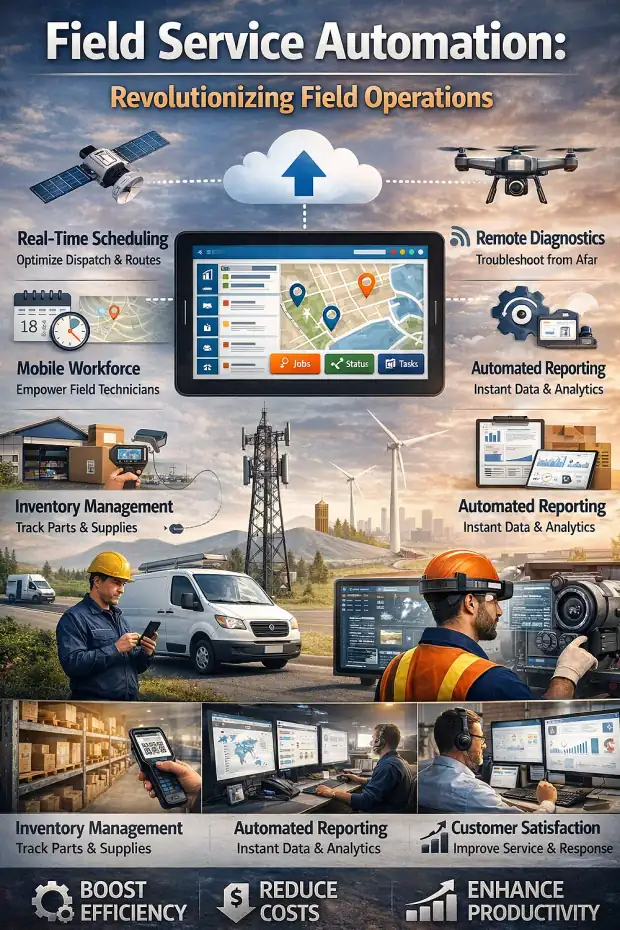
Introduction
Field service operations become messy when scheduling, dispatch, job updates, customer communication, inventory, and reporting all live in separate tools or depend on phone calls and memory. Small businesses feel this pain quickly because the office usually does not have extra people available to clean up the workflow after the fact.
Field service automation fixes that by connecting the office, the field team, and the customer-facing side of the work inside one AI-supported system. Once service requests, work orders, technician updates, and mobile reporting move through the same operating layer, the business gains better speed, cleaner visibility, and less repeated admin work.
Continue from here
Keep reading if you are still comparing options. Jump into the system if you already see the fit.
Key highlights
- Field service automation uses software to streamline scheduling, dispatch, work order handling, and technician communication.
- A strong field service management system improves operational efficiency and technician productivity at the same time.
- Mobile-first access gives field teams real-time job details, customer history, and service updates on site.
- GPS routing, inventory control, and digital work orders improve resource allocation and reduce wasted travel.
- AI helps summarize field activity, surface delays, flag unusual data, and route exceptions faster.
- The end goal is cleaner service delivery, better customer visibility, and stronger day-to-day control over field operations.
Understanding Field Service Automation
Field service automation is the use of technology to streamline and automate the repeated tasks involved in running a mobile workforce. That includes scheduling jobs, dispatching technicians, managing work orders, capturing field updates, tracking parts, and keeping customers informed during service delivery.
For small businesses, the main advantage is not abstract innovation. It is operational relief. Manual coordination through spreadsheets, texts, and paper work orders creates delays, duplicate effort, and avoidable mistakes. Automation replaces that fragmentation with one cleaner workflow.
Definition and Scope of Field Service Automation
The scope of field service automation is broad because field work touches many parts of the business. A service request does not stop at scheduling. It affects dispatch, technician productivity, customer communication, reporting, billing, and often compliance documentation too.
That is why field service automation works best when it is treated as an operating system, not just a scheduling tool. The same record should support the office, the field team, and the customer-facing workflow from start to finish.
Field Service Automation Versus Field Service Management
Field service management is the broader discipline of coordinating people, tasks, parts, equipment, and customer expectations across off-site work. Field service automation is the technology layer that makes that management process faster, more reliable, and easier to scale.
A good way to think about it is this: field service management is the strategy, and automation is the engine that executes the strategy without forcing the office to rebuild the workflow manually every day.
Why Businesses Are Automating Field Operations
Businesses are moving toward field operations automation because customers expect faster updates, owners need better visibility, and teams cannot afford to keep burning time on repeated admin work. The pressure usually shows up first in missed handoffs, unclear status, delayed invoices, and technicians spending too much time chasing information.
- Reduce manual scheduling and dispatch effort.
- Improve technician productivity and route efficiency.
- Give customers clearer visibility into arrival times and job progress.
- Turn field activity into a cleaner source record for the rest of the business.
What a Field Service Management System Should Actually Handle
A field service management system should not just track jobs. It should coordinate the entire service lifecycle, from the first service request through work completion, reporting, and billing. When the system is built well, every step runs off the same underlying record instead of being recreated in multiple places.
That matters especially for smaller teams. If dispatch, job notes, customer updates, and post-job review are all disconnected, the office ends up spending too much time cleaning up what already happened in the field.
Scheduling and Dispatch Automation
Scheduling and dispatch are where many field businesses feel operational pressure first. Automation improves that process by assigning jobs based on technician skills, location, availability, and current workload instead of making dispatchers solve the same routing puzzle from scratch all day.
Once the system can see the whole field picture, it can help reduce travel time, improve response speed, and fit more productive work into the schedule without adding the same amount of admin overhead.
Work Order, Inventory, and Customer Context
A strong system also keeps work order details, service history, customer information, and parts visibility in one place. Technicians should arrive on site with the right context already available, not depend on phone calls back to the office to figure out what happened last time.
Inventory management matters here too. When the business knows what parts are needed, what is available, and what is already assigned, first-time fix rates improve and return trips become less common.
Integration with CRM, ERP, and Back-Office Systems
Field service software becomes much more valuable when it connects with CRM, ERP, payroll, invoicing, and other back-office tools. Integration reduces duplicate entry and helps the business move from field activity to billing, reporting, and customer follow-up more cleanly.
- CRM integration gives technicians better customer context before arrival.
- ERP and accounting integration reduce billing lag after job completion.
- Payroll and time data become easier to review when field updates are structured.
- Operations leaders get a clearer picture because all teams are working from the same record.
Mobile Field Service Software and Real-Time Field Workflow
Mobile field service software is what turns automation from a back-office concept into something useful on the ground. Technicians need access to schedules, work orders, customer history, checklists, photos, signatures, and status updates from the job site itself.
If the mobile experience is weak, field adoption fails. The best systems keep data entry simple and let the office benefit from the field update without asking technicians to become software admins.
Mobile Access for Service Crews
A mobile app should let field technicians receive assignments, review job details, update status, record notes, capture signatures, and close work orders from one place. That reduces back-and-forth communication and helps the field team stay focused on service instead of coordination overhead.
Real-Time Data Capture, GPS Tracking, and Dynamic Routing
Real-time updates keep dispatch, supervisors, and office staff aligned with what is actually happening in the field. GPS tracking improves route decisions, while dynamic dispatch makes it easier to react to urgent jobs, cancellations, or schedule changes without losing control of the day.
The result is better visibility and better resource allocation. Teams spend less time guessing where people are and more time acting on real information.
Offline Functionality and Field Reliability
Field teams often work in places where connectivity is unreliable. Offline capability matters because a mobile workflow should still function when the signal drops. Reports, notes, photos, and job updates should be captured locally and synced once the device reconnects.
That keeps the workflow moving even in remote or low-signal conditions, which is essential for real-world field service operations.
Where AI Improves Field Service Automation
AI becomes most useful once the field data is captured cleanly. It can summarize long technician notes, flag delays or unusual time entries, detect missing information in work orders, and route exceptions to the office before they turn into service or billing problems.
That is the real operational advantage of AI in field service. It helps the office react faster and review better without asking technicians to do more paperwork.
Why Field Operations Automation Matters to Small Businesses
For small businesses, field operations automation is often the difference between controlled growth and constant cleanup. When the workflow is manual, every new technician, customer, and service request adds complexity that the office has to absorb by hand.
Automation changes that by giving the business a repeatable structure for dispatch, reporting, communication, and follow-through. That makes growth more manageable without requiring headcount to rise at the same pace as service volume.
Improved Efficiency and Technician Productivity
Automating scheduling, dispatch, and work order flow reduces idle time, repeated calls, and unnecessary travel. Technicians spend more time doing billable work and less time waiting for instructions or hunting for missing job context.
Better Customer Experience and Service Visibility
Customers care about communication, reliability, and speed. Automated status updates, better ETAs, and cleaner technician preparation all improve the service experience. When customers know what is happening and the technician arrives ready, satisfaction improves quickly.
Stronger Compliance, Reporting, and Operational Control
Field automation also improves the audit trail. Digital work orders, timestamps, route visibility, service notes, and attached photos create stronger reporting and support cleaner compliance processes. That matters for internal control, customer disputes, and any workflow where proof of work matters.
How to Select the Right Field Service Automation Platform
Choosing the right field service automation platform is less about chasing the longest feature list and more about identifying what the business actually needs to control. The strongest platform is the one that fits the service workflow, is easy for technicians to adopt, and can connect the field record to the rest of the business.
Small businesses should also pay attention to implementation overhead. If the system is too complex, it will slow down adoption and delay results. A practical system should prove value quickly and expand from the first bottleneck outward.
Cloud-Based Versus On-Premises Systems
Most small businesses will prefer cloud-based systems because they are easier to access, easier to maintain, and require less internal IT support. On-premises systems can still make sense in specific environments, but they usually carry higher overhead and slower setup.
Choose for Workflow Fit and Mobile Usability
The best platform is the one your field team will actually use. Mobile usability should be treated as a core requirement, not a minor feature. If the app slows technicians down, the workflow will break no matter how good the reporting looks in the office.
- Evaluate the real mobile workflow first.
- Check whether dispatch, reporting, and customer communication live in one flow.
- Prefer systems that can connect field activity to the rest of the business.
- Choose something simple enough to launch and train without heavy IT involvement.
Start with the Workflow That Hurts First
Most teams should not automate everything at once. A stronger approach is to start with the field workflow that already causes the most friction, such as dispatch, daily reporting, technician updates, or work order cleanup. Once that flow works, the system can expand from there.
Conclusion
Field service automation gives small businesses a cleaner way to run dispatch, work orders, technician communication, and service reporting without depending on scattered tools or repeated manual coordination.
The biggest gain is not just speed. It is control. When the office, the field team, and the customer all move through the same system, service delivery improves, customer communication gets clearer, and the business spends less time rebuilding what already happened.
For most companies, the best first step is to identify the field workflow creating the most friction today, then automate that flow in a way the technicians can actually use. Once the source record is strong, AI can help the rest of the business respond faster and make better decisions with less cleanup.
Download and next step
Use the checklist to map your current dispatch, work order, and field update flow, then turn it into an AI-supported automation system.
Frequently asked questions
How does field service automation enhance scheduling and dispatch?
It uses real-time data, technician availability, routing logic, and job context to assign work more efficiently. That reduces scheduling friction, improves response times, and gives dispatchers cleaner visibility into what the field team can handle next.
Is there field service automation software that works for small businesses?
Yes. Many small businesses use cloud-based field service systems because they are easier to launch, easier to maintain, and do not require the same internal IT overhead as heavier enterprise software. The right fit depends on the workflow, not just company size.
How can mobile field service software operate in areas with limited connectivity?
The best mobile systems support offline work, which means technicians can still open job details, capture updates, add notes, and sync the data later once connectivity returns. That keeps field operations moving even in low-signal environments.
Next-step paths
Related next reads